
Software Release Notes - SolarEdge Designer
Latest Release: September 2026
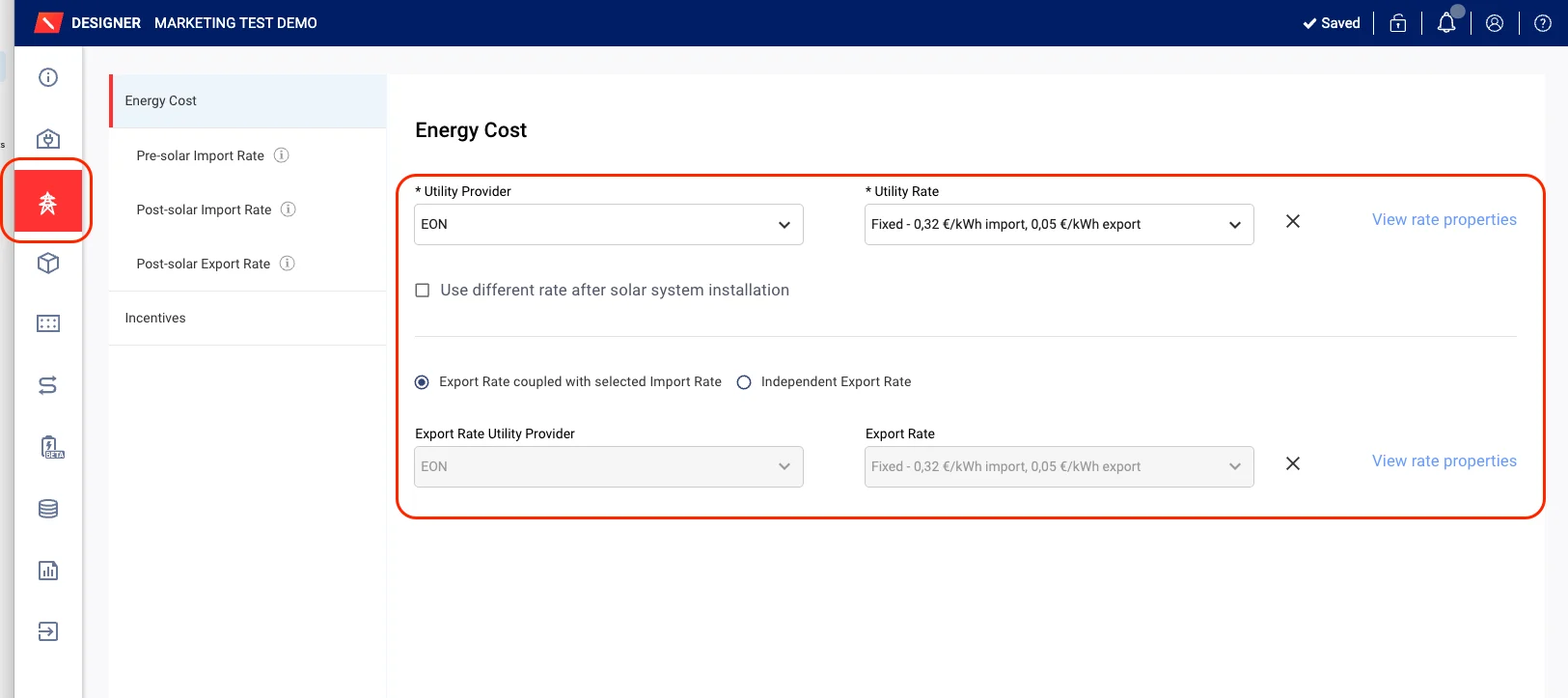
Easier, Faster Utility Rates Configuration
The Utility Rates window has moved from the Consumption tab to its own standalone 'Utility Rate' tab located in the left menu, making it easier to locate and improving the overall project design flow.
Users can now select import and export rates in one place, without moving between tabs, for faster energy cost configuration.
All existing rate options and behavior remain the same as before.
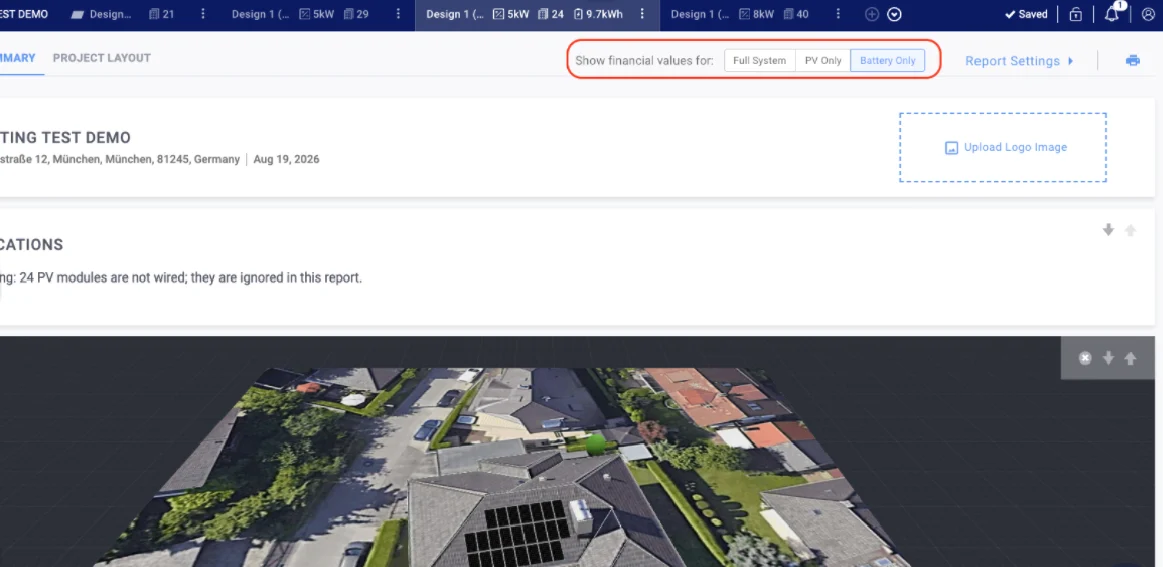
Report Toggle - Battery Only / PV Only / Full System
A new switch on the Designer Report lets you view financial values for battery only, PV only, or the full system. This makes it easier to clearly present the standalone value of adding a battery to a customer - especially for battery-only simulations on site expansions.
Storage Recommendations - Improved Battery Sizing
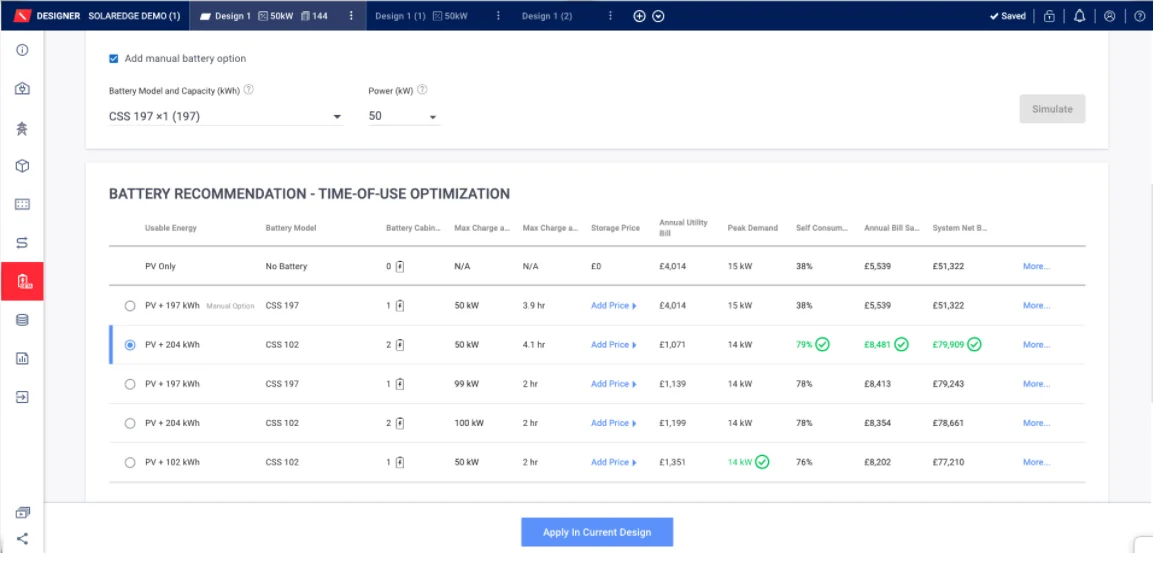
We’ve improved how battery options are prioritized, helping users find the most suitable configurations more easily e.g. ensuring right-sized options are prioritized over oversized ones based on your site's actual daily consumption.
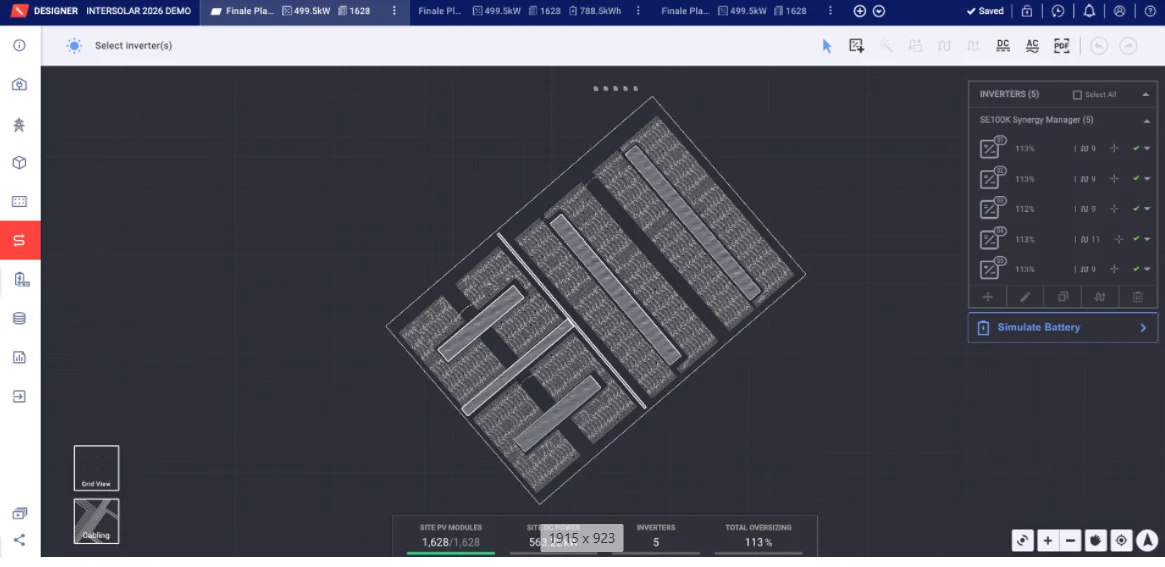
Stringing Improvements
- Auto-stringing: Fewer extension-cable errors (mostly 2:1 Power Optimizers), existing valid strings stay untouched
- Manual stringing: Much faster on large sites - smoother dragging, connecting, and editing, with consistent speed even on heavy layouts
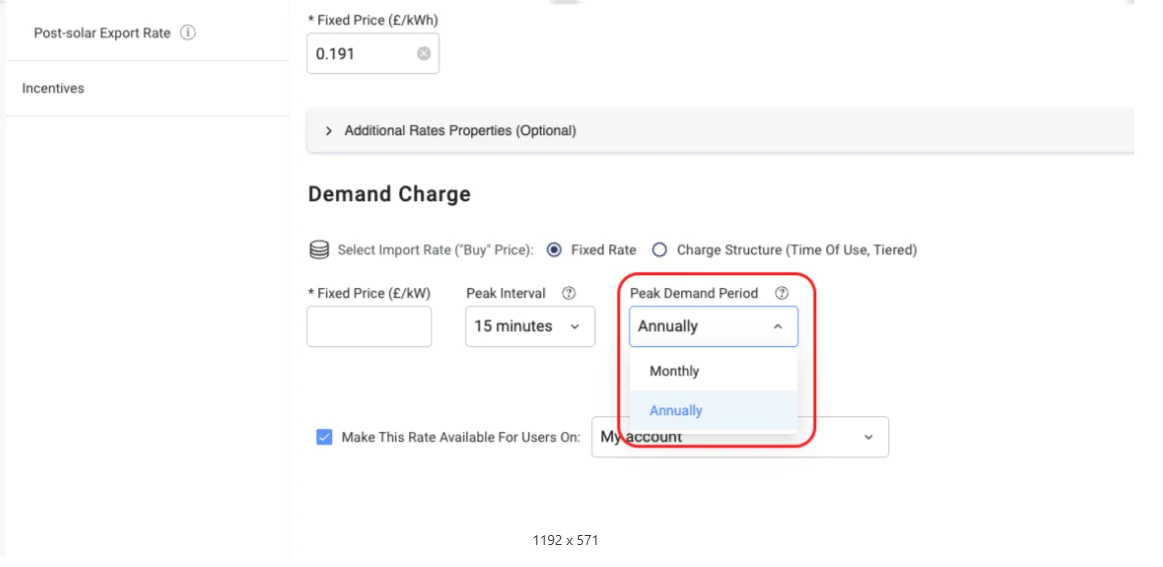
Annual Demand Charges
Added support for an annual billing period for demand charges, mainly relevant for commercial solar projects in Germany. Users can now choose whether peak demand is assessed monthly or annually.
Previous Releases
SolarEdge Designer: April 2026 Release
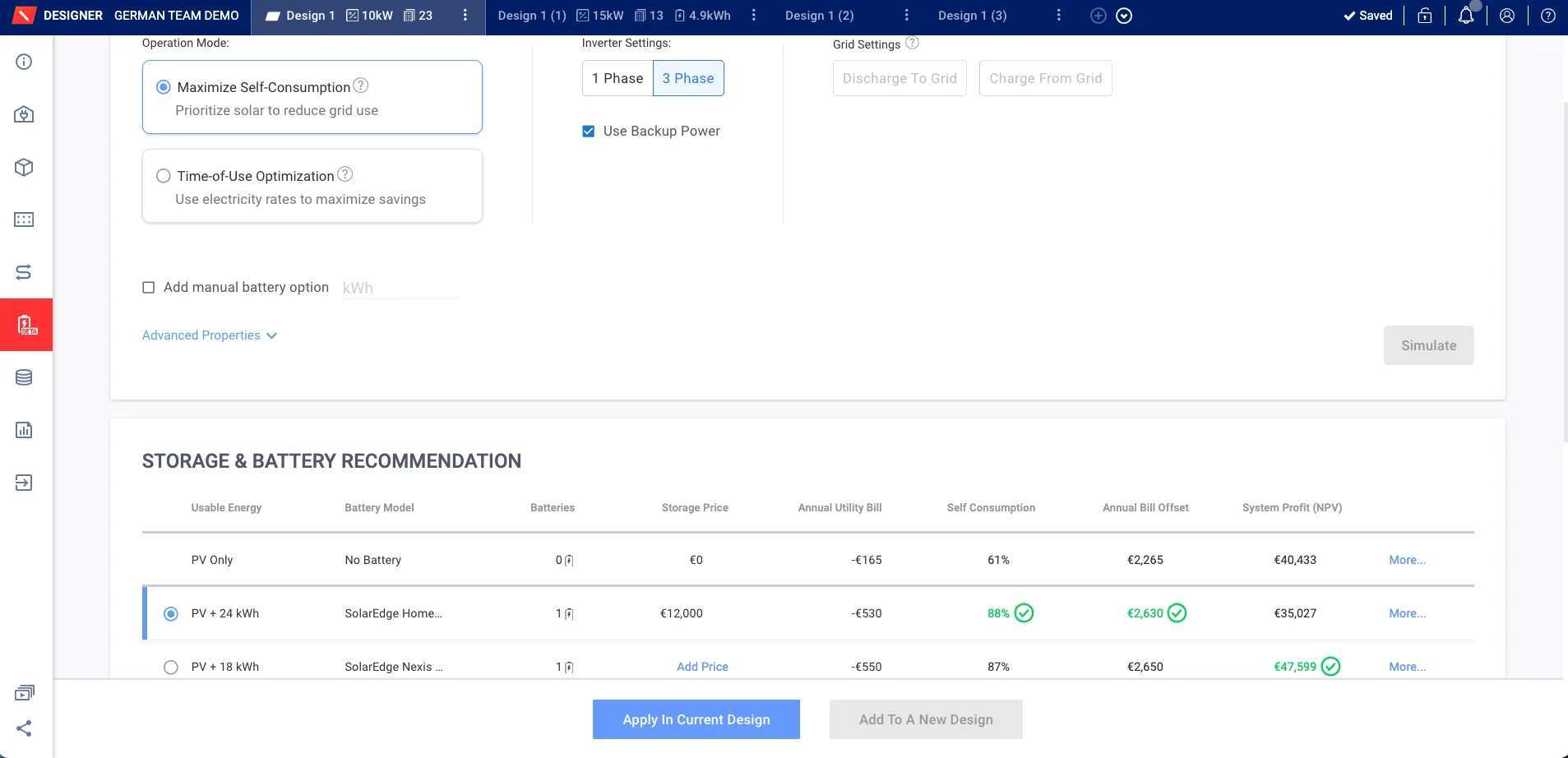
New Residential Storage Tab
This new tab lets users compare different battery setups in one place, saving time, improving clarity, and making decisions easier.
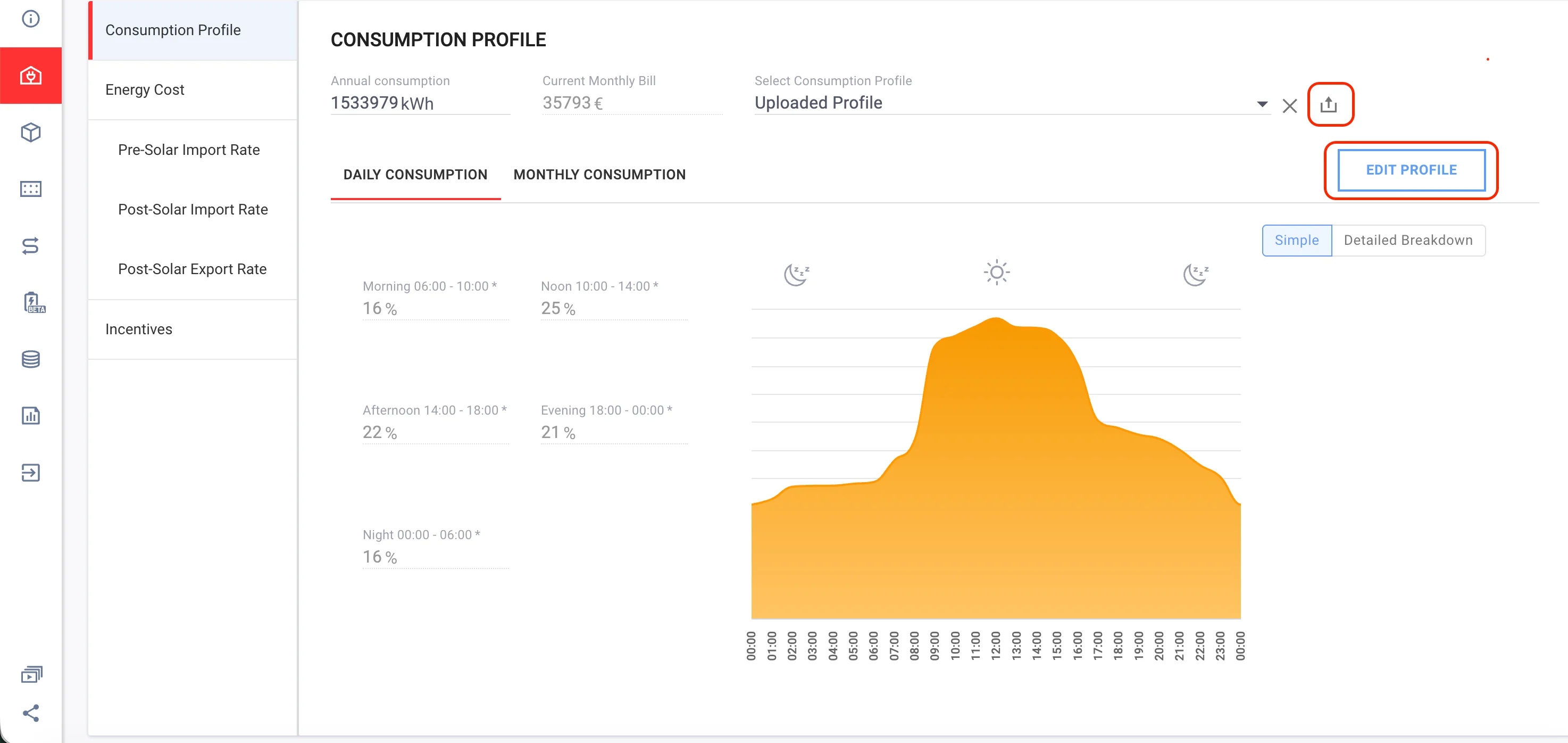
Edit an Uploaded Consumption Profile
Users who upload custom consumption profiles can now edit them directly in Designer - adjusting monthly/yearly values without needing to re-upload a file from scratch.
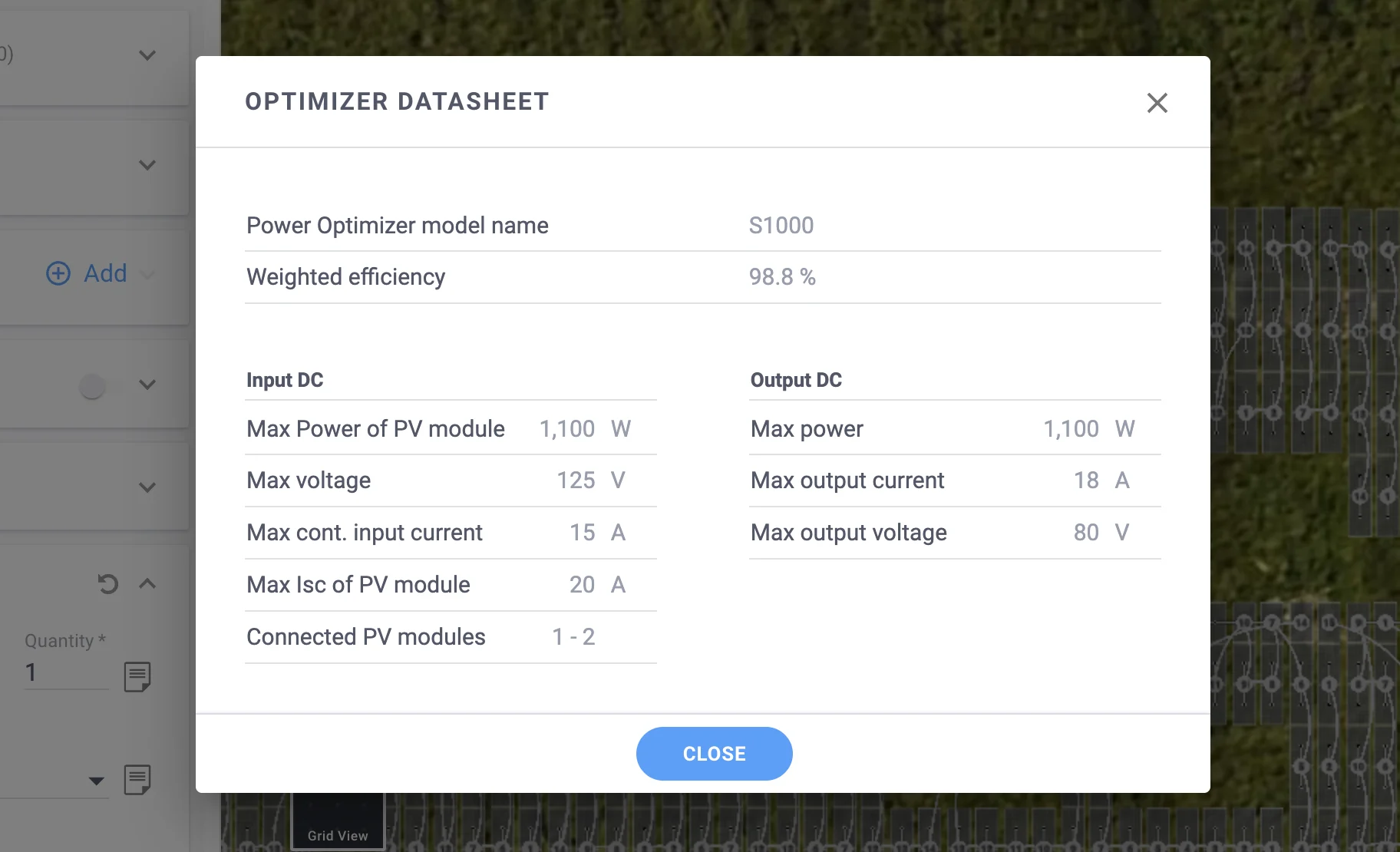
Power Optimizer Input Power Clipping
Designer now models Power Optimizer input power clipping loss in the energy simulation, improving yield accuracy for systems where module output exceeds the Power Optimizer's input limit.
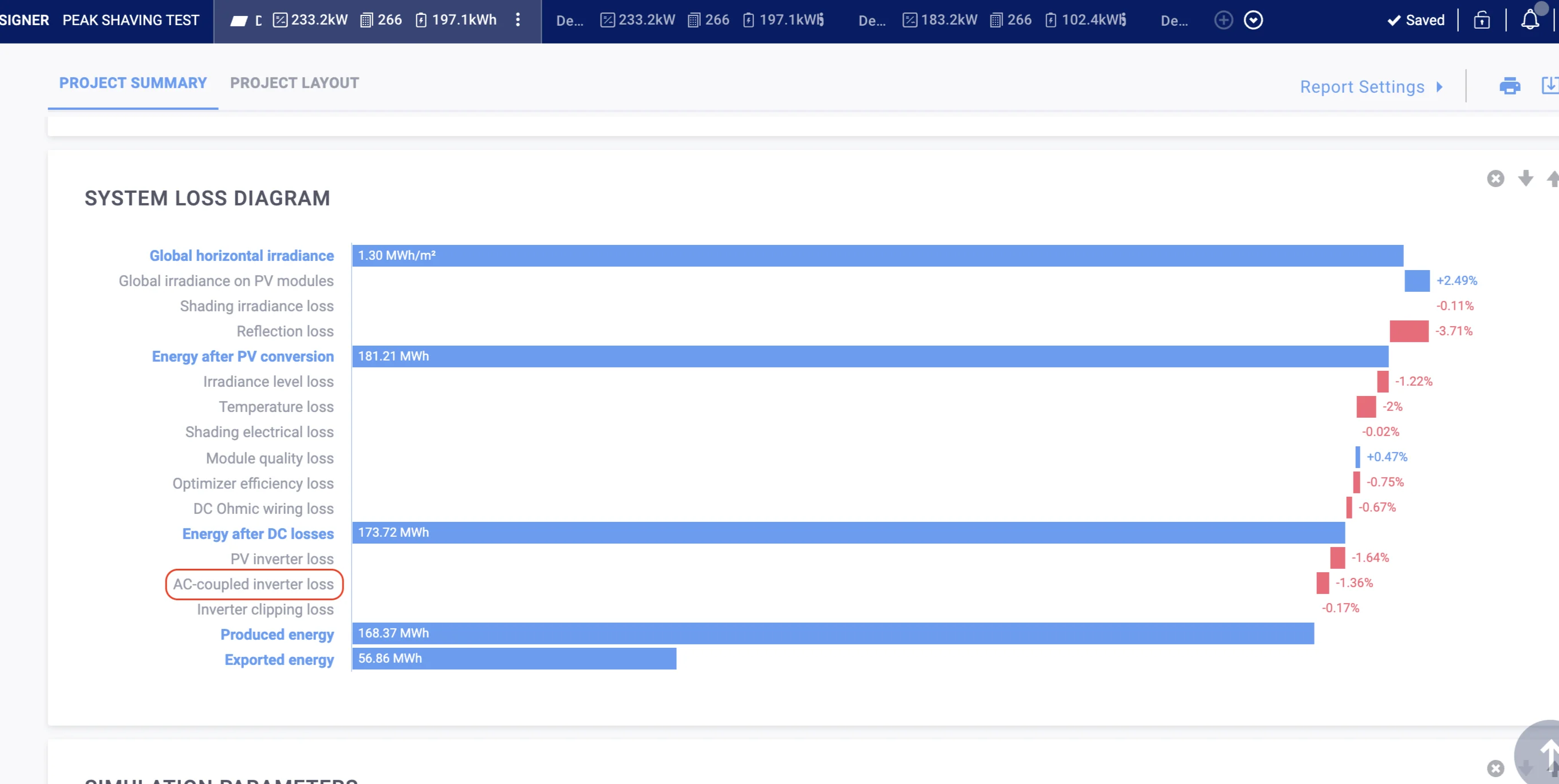
AC Coupled Inverter Efficiency Loss in System Losses
The System Losses diagram and report CSV now include AC Coupled inverter efficiency loss as a separate line item, giving a more complete picture of system yield.
SolarEdge Designer: February 2026 Release
CSS-OD: Faster Loading + Increased Site Limit
- Simulation limit raised from 1.2 MWh to 4 MWh, to support the CSS-OD 197 limits
- General performance improvements for large storage systems

Min Power Optimizer Power: Warning Instead of Error
- Reduced overly strict minimum-power checks that previously rejected valid designs
- Enables more flexible layouts for projects with mixed module sizes (e.g., facade systems)
- Still prevents designs that would cause significant efficiency loss