Software Release Notes - SolarEdge Go
Latest Release: Version 1.18.0
Release Date: October 2026
SolarEdge Nexis Inverter Commissioning
- Pairing in auto commissioning flow: Pairing is now part of the Nexis auto-commissioning flow, so you can now complete more of the system setup in one place.
- Load commissioning reports: Previously created commissioning reports can now be opened and loaded directly from the Documents tab
New Commercial & Industrial (C&I) Features
- ONE Controller for C&I firmware upgrade: Use SolarEdge Go to remotely upgrade the ONE Controller firmware directly from the app, saving time on site
- Inverter model label location: Go now shows exactly where to find the inverter model label on C&I inverters, helping speed up installation time
- New “What’s new” window: Important C&I updates are now introduced via a “What’s new” window, which is launched when opening the Go app
- Faster ONE Controller for C&I support: Connection error screens now display the ONE Controller’s serial number for easier product identification, speeding up support and troubleshooting processes
Performance Improvements
- Better error handling, and smoother recovery if you close and reopen the app in the middle of an inverter test
- More accurate matching of replacement inverters by power class
Previous Releases
Version 1.17
Released: August 2026
Advanced Self-Service & Maintenance Tools
New self-service tools put more power in your hands for device replacement, remote troubleshooting, and site configuration.
- Remote Access for ONE Controller for C&I: A dedicated Remote Access option is now available for ONE Controllers in the Remote tab, improving remote troubleshooting
- Location-Aware Grid Code Sorting: To speed up configuration, the app now automatically sorts grid codes based on your installation's physical location
- Multi-Inverter Remote Grid Settings: For better fleet control, you can now remotely set or change grid codes for any specific inverter on a multi-inverter site
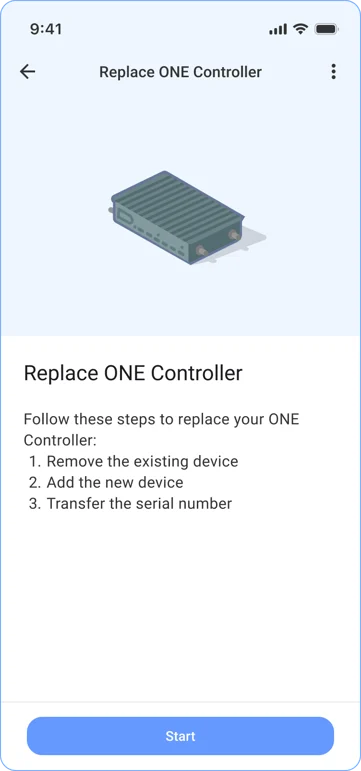
Self-Service Replacement for ONE Controller for C&I: For faster site maintenance, you can now initiate a full "Replace Device" workflow for ONE Controllers directly in the app - Remove Offline ONE Controller for C&I: De-link a ONE Controller from a site even if it's offline, for simpler inventory management
- Multi-Inverter Remote Grid Settings: To provide better fleet control, you can now remotely set or change grid codes for any specific inverter on a multi-inverter site
- Smart Photo Reminders for RMAs: The app now reminds you to take the required photos if you need to replace a SolarEdge Home Hub - Single Phase inverter, ensuring you get properly compensated for labor
Modernized and Fluid User Experience
We've refreshed the app's look and feel to make it faster and more intuitive, with smart loading states that cut down on wait time.
- Instant Feedback with Skeleton Loading: Skeleton loading placeholders now show you the page layout while data is fetching — including on the Inverter, Power Optimizer, and Battery detail pages, and while establishing remote connections — so you're never staring at a blank screen
- Edge-to-Edge Visual Continuity: To create a more immersive and modern feel, we’ve introduced a transparent top bar that blends seamlessly with your screen content
- Refined Interface Details: Updated selection colors in the bottom navigation and rounded button corners give the app a friendlier, more polished look
- Streamlined Settings Access: To clean up the main menu, we moved the "Sync latest firmware" option into the Settings section
Professional Reporting & Inventory
Getting the data you need for tax incentives or site audits is now easier, with expanded reporting tools and more granular hardware detail.
- Full Site Inventory Export: Export a complete list of site equipment (Inverters, Batteries, etc.) to CSV or Excel - ideal for site audits and documentation
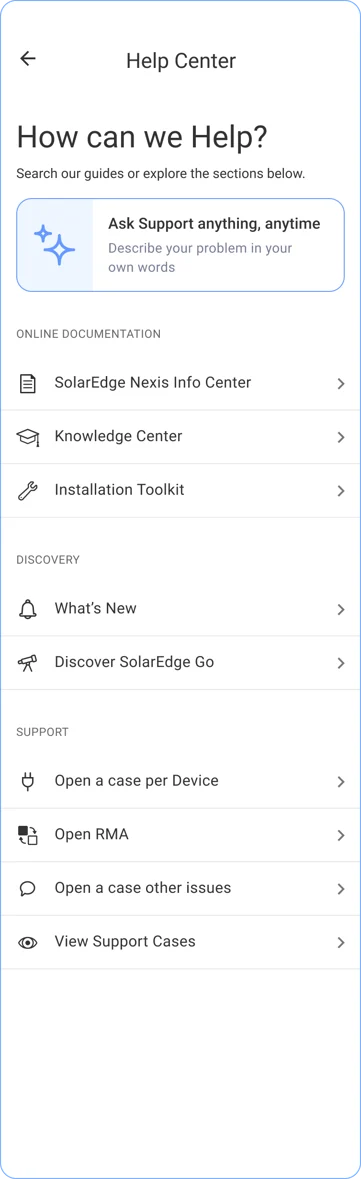
- Integrated Help & Support Center: A new in-app Help Center gets you answers faster, with an AI agent, knowledge base, and the ability to open support cases directly
- Enhanced Meter Collar Visibility (USA only): Meter Collar details and serial numbers are presented more clearly in the inventory view
Expanded Hardware Support
SolarEdge ONE EV Charger Integration: The app now supports the latest EV hardware, with essential status information and configuration options for the ONE EV Charger
Version 1.16
Released: June 2026
One Unified Experience
We've moved all SolarEdge inverters commissioning flow into the SolarEdge Go native flow, bringing a consistent experience across all SolarEdge products — including site and user creation.
Commission First, Upgrade Later
Skip the wait, keep commissioning. For supported commercial SolarEdge inverters*, you can now bypass non-mandatory firmware upgrades and jump straight to commissioning. Save valuable time on site** and avoid standing around waiting for the update to finish. SolarEdge servers handle the firmware update automatically overnight across all inverters on site, retrying for up to 60 nights if there's a connection issue. Either way, your system stays safe and fully operational.
* Supported inverters
Synergy Inverters:
- Synergy Manager (SE-TRI-RW00IBNQ4) from work week 12, 2026 and later
- Synergy Unit (SESUK-RWR0INNN8) from work week 9, 2026 and later
- Synergy Unit (SESUK-RWR0INNN4) from work week 21 2026 and later
Commercial Three Phase Inverters:
- SE-SIN-BRR0IBNH8 from work week 9, 2026 and later
** Estimated at up to 15 minutes per Commercial Three Phase Inverter and up to 35 minutes per Synergy Technology Inverter, depending on the different inverter configurations
Longer Remote Session Timeouts
The Remote Access session timeout has doubled from 15 minutes to 30 minutes. This enhancement enables longer uninterrupted remote service sessions, making it easier to perform diagnostics, configuration changes, and troubleshooting activities more efficiently.
Smarter Firmware Upgrades
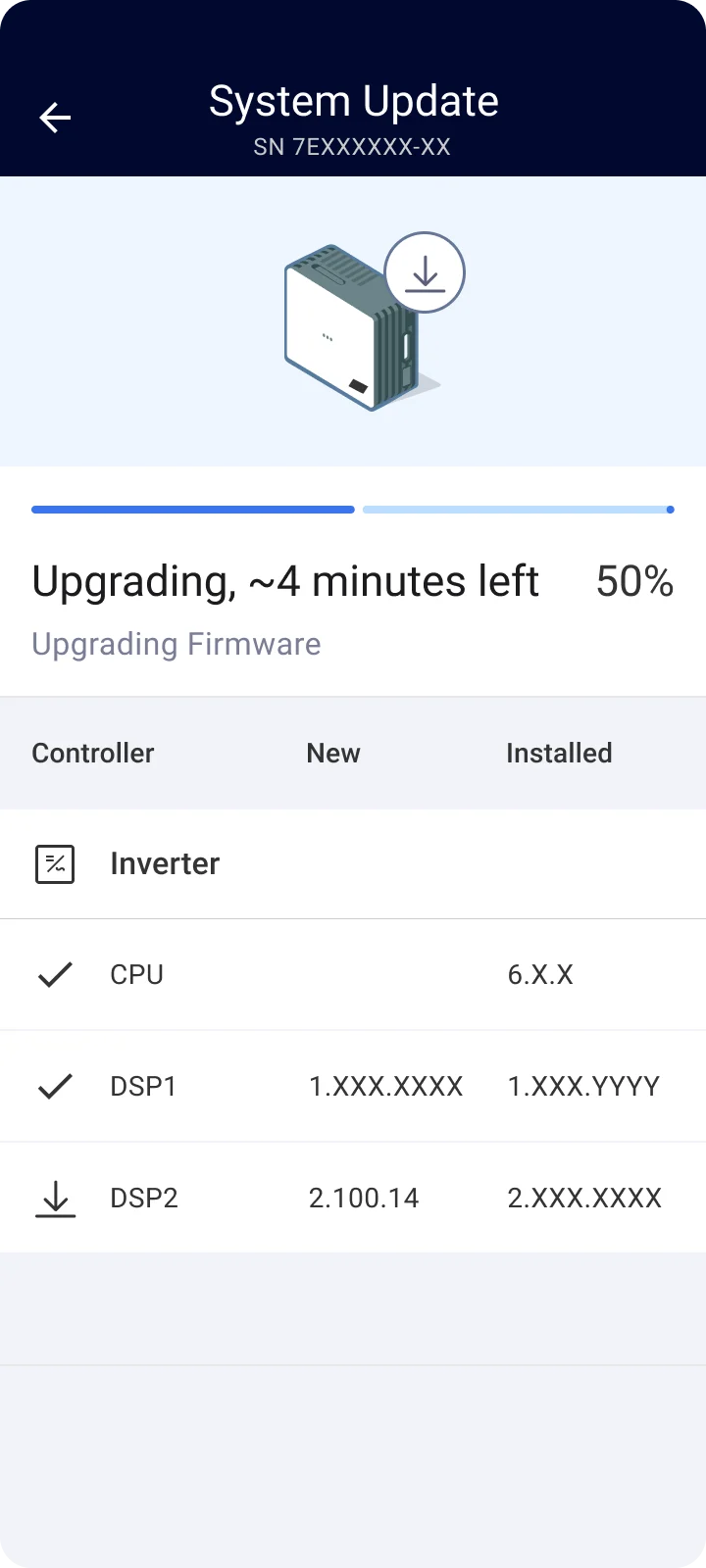
A redesigned upgrade flow with new "V" icons and download indicators so you always know your firmware status at a glance — plus a live progress bar with % complete and remaining time.
Phone Lock Authentication
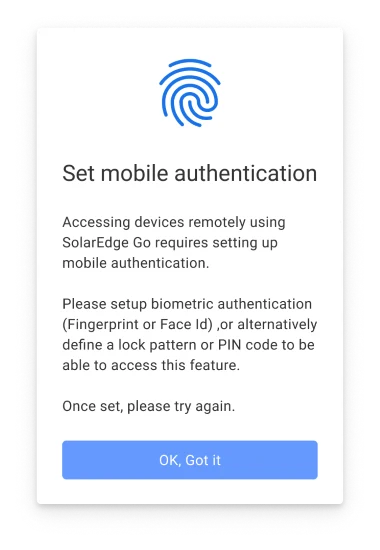
Phone lock now appears the first time you use remote actions or settings, instead of at every app launch — keeping security tight without slowing you down.